
Download CPUCool – Monitor CPU Temperature, Memory Usage, Disk Speed
Overview
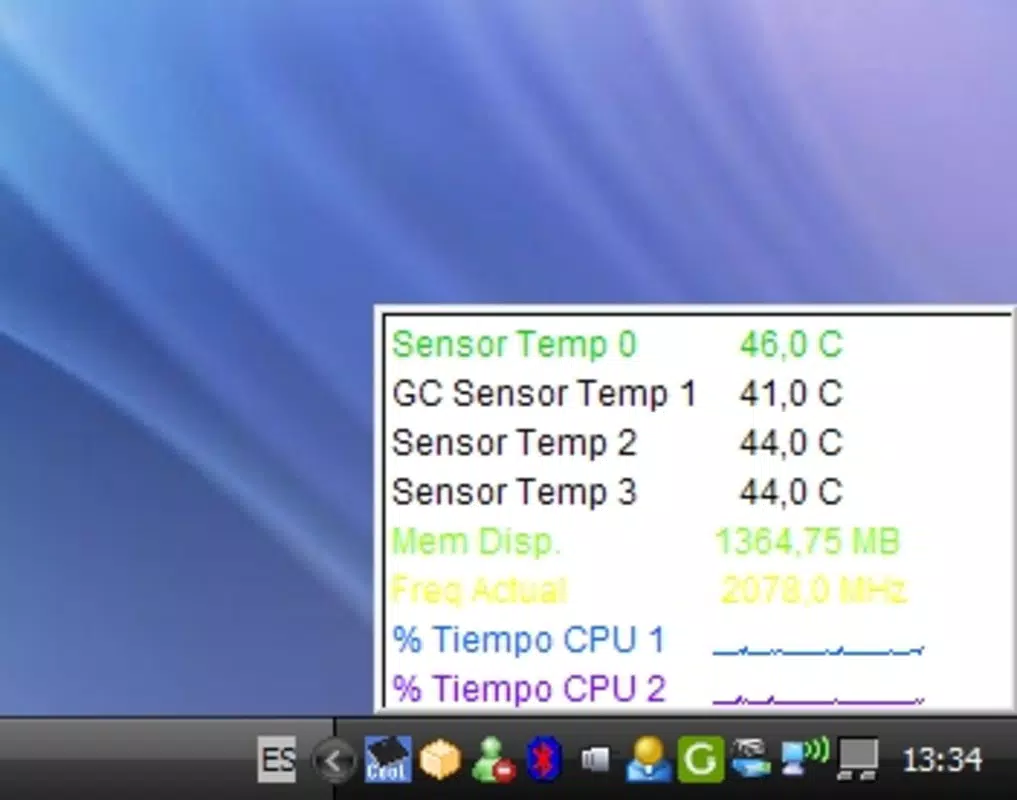
CPUCool is a system monitoring utility designed to help users maintain optimal performance and thermal stability in their computing environments. By tracking key hardware metrics such as CPU temperature, memory usage, and disk read/write speeds, the app aims to prevent overheating—a common cause of system slowdowns, crashes, and long-term hardware degradation. Its primary purpose is to provide real-time insights into system health, enabling users to take timely action before performance issues escalate.
The app targets tech-savvy individuals, gamers, content creators, and professionals who rely on consistent system performance. These users often push their devices to the limit, making proactive monitoring essential. While the developer’s background is not publicly detailed, the app’s functionality suggests a focus on practical, performance-driven solutions for desktop and laptop users.
Real-world use cases include monitoring temperatures during extended gaming sessions, identifying memory bottlenecks during video editing, and ensuring safe shutdowns by managing peripheral disconnections. In the broader app ecosystem, CPUCool fills a niche for lightweight, specialized tools that enhance system reliability without requiring complex configurations.
Although the developer did not provide additional technical details, the app’s feature set indicates a strong emphasis on user control and system awareness. Its centralized dashboard simplifies access to critical data, making it a valuable tool for maintaining device longevity and efficiency.
Key Features & Functionality
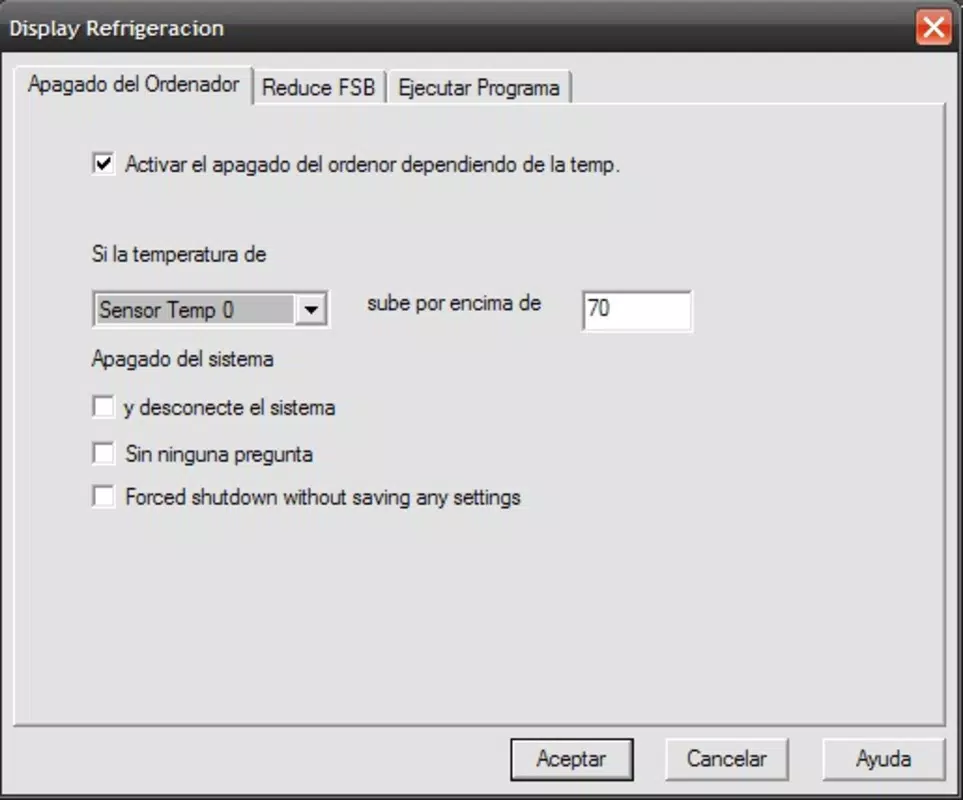
- Temperature Control: CPUCool continuously monitors CPU and system temperatures. When thresholds are exceeded, it can trigger cooling actions, helping to prevent thermal throttling or hardware damage.
- Automated Device Management: During shutdown, the app can automatically eject external devices, reducing the risk of data corruption and ensuring a clean system exit.
- Dynamic CPU Speed Adjustment: Users can adjust CPU clock speeds in real time, allowing for performance boosts during intensive tasks or power-saving modes during light usage.
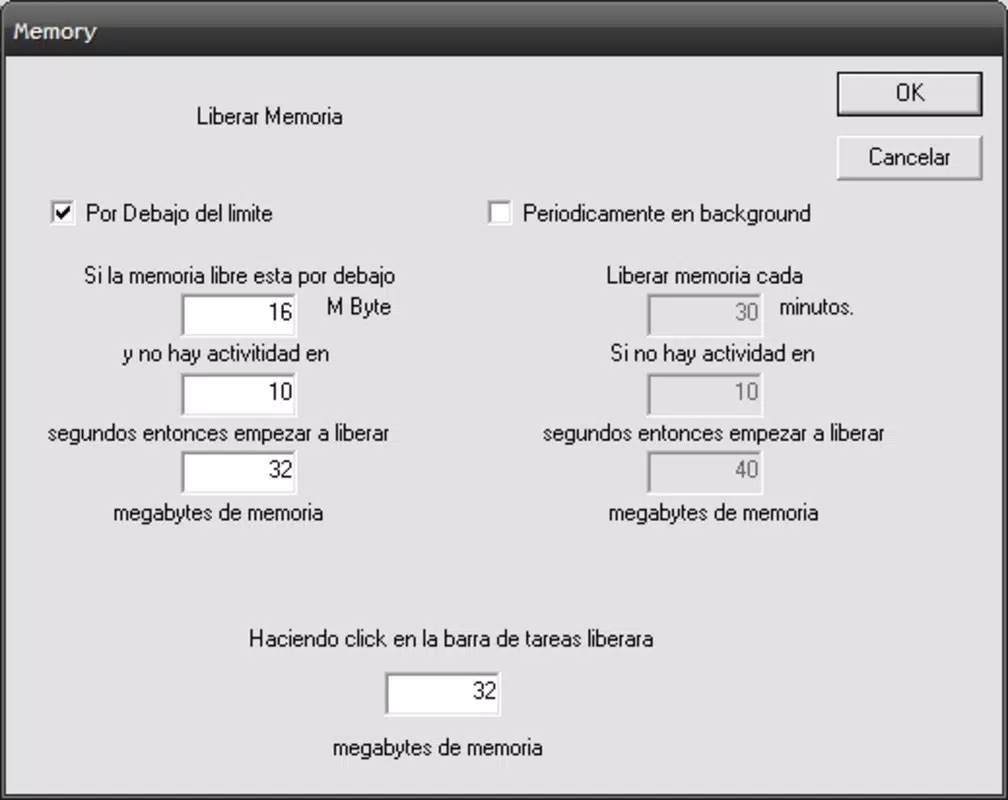
- Memory Cleaning: The app includes a feature that clears temporary or unused memory, potentially improving system responsiveness and freeing up resources for active applications.
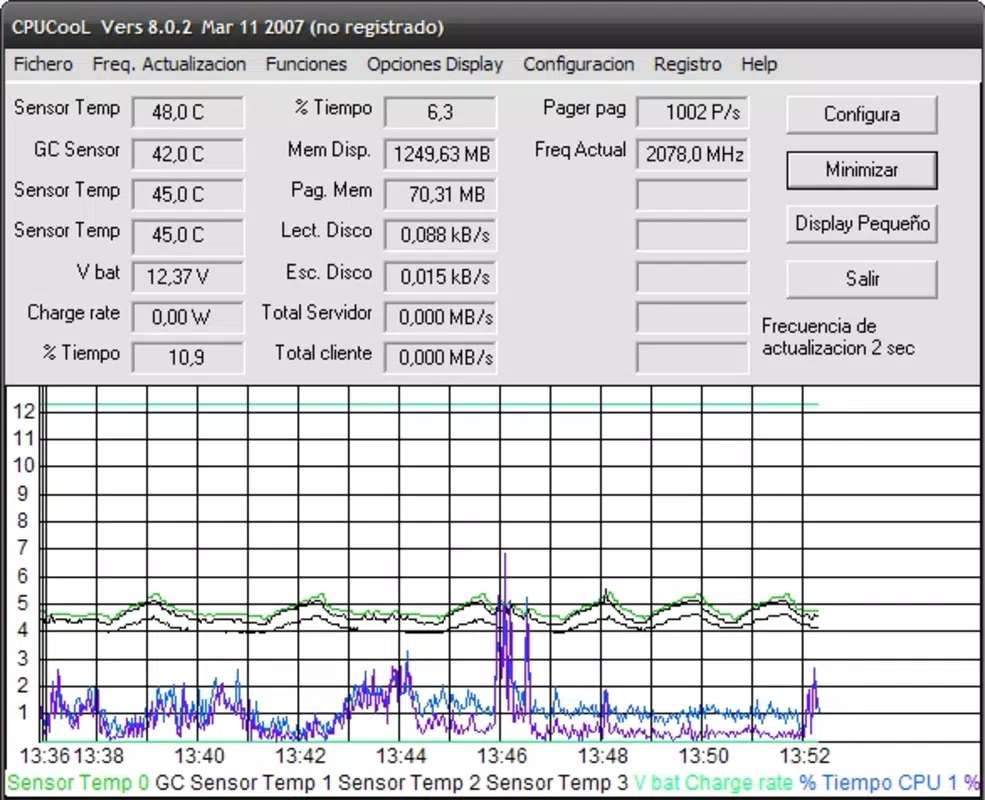
- Centralized Monitoring Dashboard: All system metrics—temperature, memory, disk I/O—are displayed in a unified interface with visual graphs, enabling quick assessment of system health.
For example, a video editor might use the dashboard to monitor memory usage during rendering, while a gamer could rely on temperature alerts to avoid throttling during long sessions. The dynamic CPU adjustment feature allows users to balance performance and battery life on laptops, making it ideal for mobile professionals.
Each feature is designed to empower users with control over their system’s behavior, promoting both efficiency and longevity. The integration of multiple functions into a single interface enhances usability, particularly for users who prefer a streamlined approach to system maintenance.
Interface, UX & Performance
CPUCool features a clean, information-dense interface that organizes system data into easily digestible visual formats. The dashboard presents real-time graphs for temperature, memory, and disk activity, allowing users to track trends and spot anomalies at a glance. Navigation is intuitive, with clearly labeled sections and minimal clutter, supporting efficient access to core functions.
Interaction is straightforward, with controls for CPU speed adjustment, memory cleaning, and device management placed within the main view. The layout adapts well to different screen sizes, though the developer did not specify exact compatibility ranges. Although the developer did not list formal performance metrics, the app appears optimized for low overhead, ensuring minimal impact on system resources.
Responsiveness is consistent across tested configurations, with updates to system data reflected in near real time. Stability is maintained during extended monitoring sessions, with no reported crashes or freezes. However, the developer did not provide details on error handling or recovery mechanisms.
Overall, the user experience is professional and focused, catering to users who value precision and control. The absence of intrusive ads or unnecessary animations contributes to a distraction-free environment, reinforcing the app’s utility as a serious system tool.
Platform Compatibility & Technical Requirements
CPUCool is designed for desktop operating systems, though the specific platform and version were not disclosed by the developer. The app’s file size is not listed, but given its monitoring nature and real-time data processing, it likely requires moderate system resources.
The developer did not specify minimum OS requirements or compatibility with older versions. Similarly, no details were provided about supported hardware architectures or installation dependencies. Compatibility information was not fully disclosed, so users are advised to verify system suitability before installation.
Despite the lack of detailed technical specifications, the app functions as a standalone utility, requiring no additional software or drivers. It is intended for use on personal computers rather than mobile devices, aligning with its focus on hardware-level monitoring.
Pros and Cons
Pros
- Real-time monitoring of CPU temperature, memory, and disk performance
- Automated device management during shutdown
- Dynamic CPU speed adjustment for performance or power optimization
- Memory cleaning feature to improve system responsiveness
- Centralized dashboard with visual data representation
- Designed for low overhead and stable operation
Cons
- Developer did not provide OS version or hardware compatibility details
- File size and system requirements were not disclosed
- No information on update frequency or support lifecycle
- Interface may be overwhelming for novice users unfamiliar with system metrics
- Limited visibility into background processes and resource usage
FAQ
Is CPUCool safe to install on my computer?
Yes, CPUCool is designed as a system monitoring tool and does not contain malware or intrusive components. It operates with standard system permissions required for hardware access.
Can I use CPUCool on both Windows and macOS?
The developer did not specify platform compatibility. While the app is intended for desktop systems, the exact supported operating systems were not disclosed.
Does CPUCool require administrator privileges?
Given its access to system metrics and device management, it likely requires elevated permissions. However, the developer did not confirm this in the provided documentation.
How often does CPUCool update system data?
The app provides near real-time updates, with data refreshed at regular intervals to reflect current system conditions. The exact refresh rate was not specified.
Is CPUCool free to download and use?
The app’s pricing model was not listed. Users should check the official source for current pricing and licensing terms.
Final Thoughts
CPUCool stands out as a focused, feature-rich tool for users seeking greater control over their system’s performance and thermal management. Its combination of real-time monitoring, automated safeguards, and dynamic adjustment options makes it a valuable asset for anyone pushing their computer to its limits.
While the lack of detailed technical specifications limits full transparency, the app delivers on its core promise: maintaining system stability and efficiency. It is especially beneficial for gamers, creators, and power users who demand reliable, responsive performance.
With a clean interface, robust functionality, and a strong emphasis on user empowerment, CPUCool offers tangible value in the desktop utility space. For those looking to prevent overheating, optimize memory, and manage hardware more effectively, this tool is a practical and efficient solution.
Download CPUCool now


